 Labnotes
Labnotes
Labnotes
I write a weekly email for people in tech.
Tools and products you should know about, tips about UX, management, infosec; random and funny stuff

Anae /dev/null On the one hand, AI means we no longer need to write boilerplate code. On the other hand, we like to get together, socialize, and make friends, This week I joined /dev/null, which is a new social network for developers. And it is fun. Very fun.
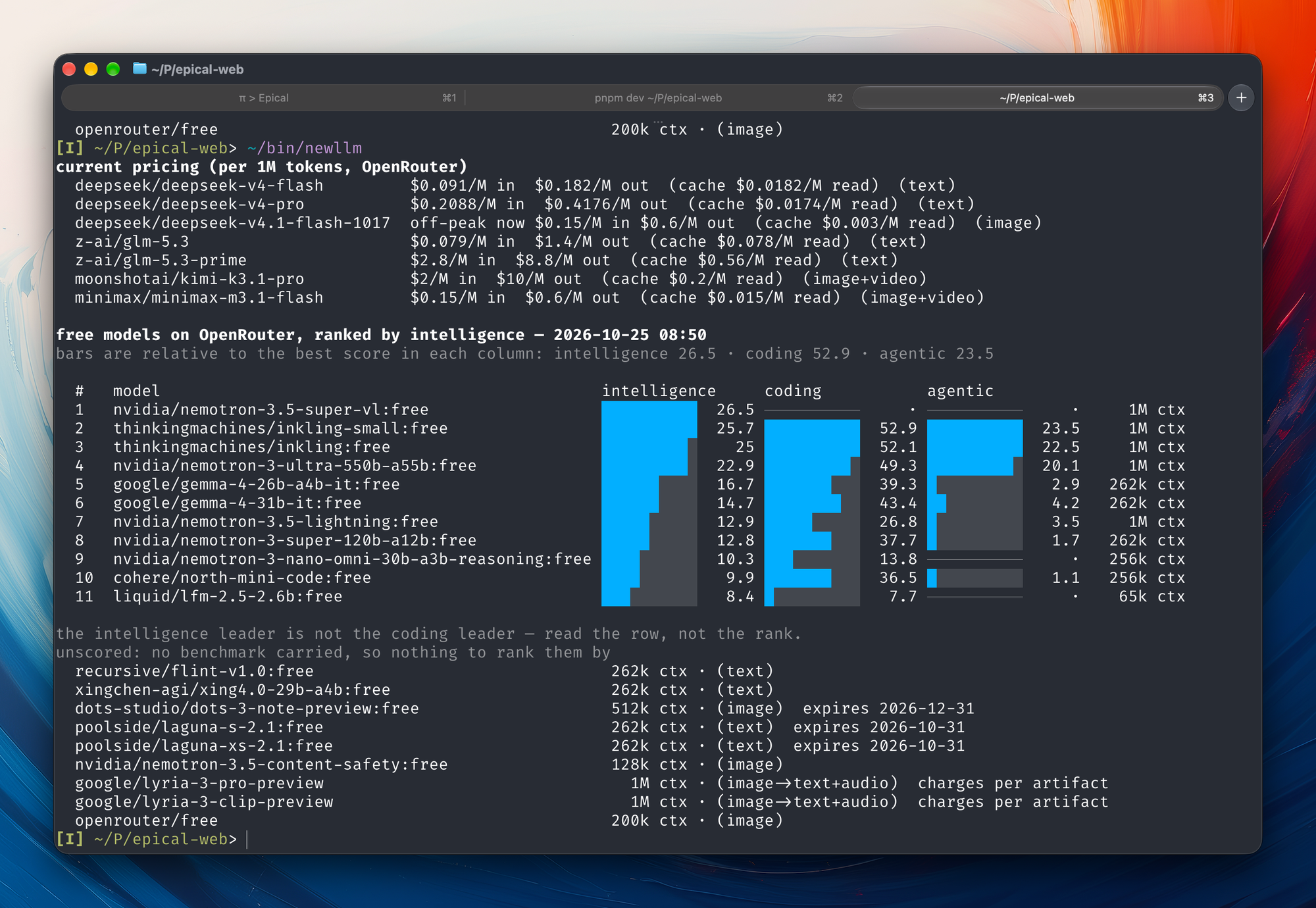
I wrote this script because I wanted to figure out which LLMs I can use for free. Sometimes they test out new LLMs by making them available for free for a limited time. For example, the last one I enjoyed using was Space Bunny which just got released as MiniMax

Tech Stuff Textus When you need a solid, open-source Markdown editor that run on macOS, Linux and Windows. I quite enjoy using it, and it does come with an AI writing assistant (grammar check, revision, built-in skills, etc). It can export to PDF, Word, and HTML, runs on
ProtocolPolice I had the weirdest dream last night. I installed an app on my phone so I can look up the prices for couches. That makes sense, it's time to get a new couch in our living room. It installed itself onto a fresh new screen, as apps