
Published
Connect to Expense
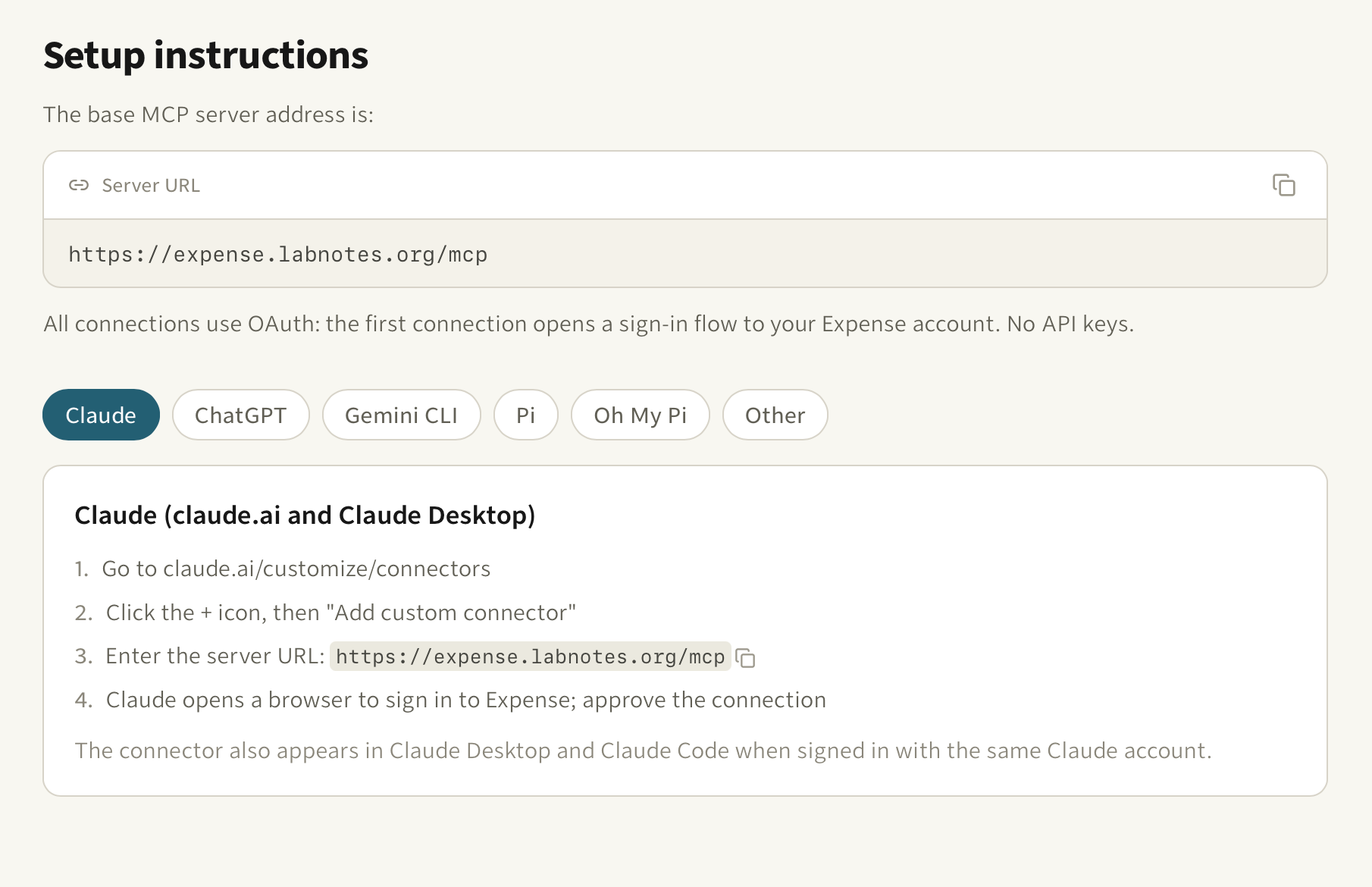
A feature can be finished and still be unusable. Expense has had an MCP server for a while: point an assistant at https://expense.labnotes.org/mcp, it discovers the OAuth flow, you sign in once. That part works. The part that did not was the last mile. The how lived in docs, and anyone who pasted the endpoint into a browser got a 405.
There is a page for it now: expense.labnotes.org/connect. Pick your assistant from the list (Claude, ChatGPT, Gemini CLI, Pi, Oh My Pi) and you see only that assistant's steps. The server URL and every config snippet have a copy button. The selection lives in the URL too, so /connect?client=pi links someone straight to Pi's setup, which Pi needs, because it ships without an MCP client and the page walks you through the community adapter instead.
The layout is borrowed from Sentry's MCP page, because it is the best version of this idea I have seen: one list, one instruction set at a time, no scrolling past five other clients to find yours.
Browsers that open /mcp get redirected to the guide, so the dead end is gone. Real MCP clients never notice, because they announce themselves with a different Accept header. There is a markdown mirror at /connect.md, and llms.txt points at it, so an assistant can read the same instructions its human does.
The honest caveat: client UIs drift. Claude's connector screens and ChatGPT's developer mode will not look like that forever. Every step lives in one constant in the code, so the fix is a one-line edit. Noticing that it moved is on me.